
July 6, 2026
Claude On The Go
Quick story. A few weeks ago I kicked off a big refactor on my laptop, went to grab dinner, and spent the whole meal wondering if it had finished or if it was sitting there waiting for me to approve something. Turns out there's now a real answer to that problem, two of them actually, and I've been using both enough to have opinions.
Anthropic shipped two features that let you work with Claude away from your desk: Remote Control and Dispatch. They sound similar on paper, but they solve pretty different problems. So here's my honest breakdown of what each one does, what I like, and where they still fall short.
Remote Control: your terminal session, but in your pocket
Remote Control connects a Claude Code session running on your machine to claude.ai/code or the Claude mobile app. You start a session at your desk, and then you can keep steering it from your phone on the couch, on the train, or from a browser on a completely different computer.
Getting it going is stupidly easy. If you're already in a session, you just type /remote-control (or /rc if you're lazy like me) and it carries your current conversation over. You can also launch with the --remote-control flag, or run "claude remote-control" in a project folder to start a dedicated server mode that can host multiple sessions at once. Either way, you get a session URL, and if you hit spacebar it shows a QR code. Scan it with your phone and boom, your terminal session is now on your phone.
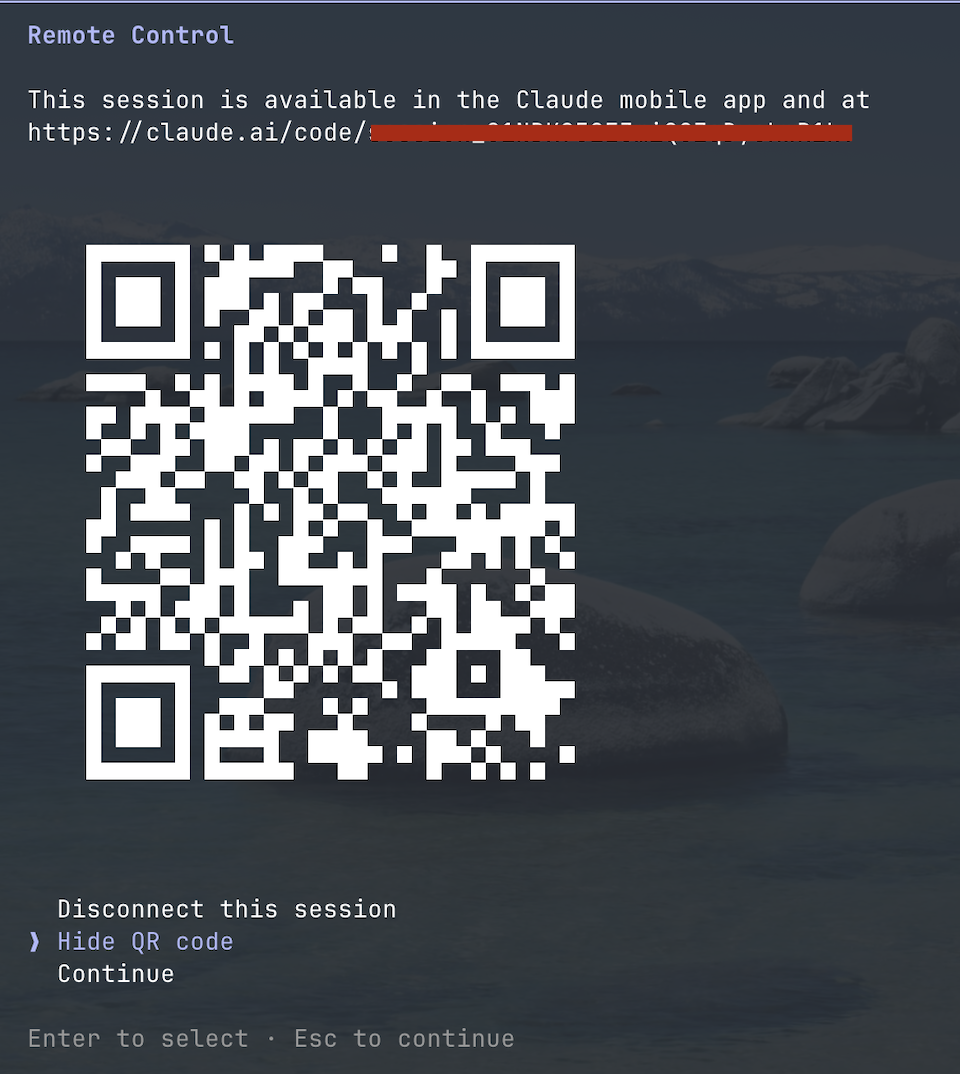
Here's the part that matters though. The session never leaves your machine. Your laptop keeps doing all the actual work, and the phone or browser is just a window into it. That means Claude still has your full local setup: your filesystem, your MCP servers, your project config, all of it. Typing @ on your phone even autocompletes file paths from your local project, which feels a little surreal the first time.
The conversation stays in sync across every connected device too. You can send a message from your terminal, then follow up from your phone, then come back to the terminal, and it's all one continuous thread. And if your laptop takes a nap or your wifi hiccups, the session reconnects on its own when the machine comes back online.
One more thing worth knowing: this pairs with mobile push notifications. Claude can ping your phone when a long task finishes or when it needs a decision from you. You can even ask for it directly, like "notify me when the tests finish." That alone has changed how I run long tasks. I used to babysit the terminal. Now I just walk away.
Where Remote Control hits its limits
Now for the honest part, because it's not magic.
The big one: your local process has to keep running. Remote Control is a window into your machine, so if you close the terminal, quit VS Code, or your laptop dies, the session is gone. If your machine is awake but offline for more than about ten minutes, the session times out too. So "coding from the beach" really means "coding from the beach while your laptop stays alive and connected back home."
There are also some practical constraints. It needs a Pro, Max, Team, or Enterprise plan, and it doesn't work with plain API keys. Outside of server mode, each Claude Code instance only supports one remote session at a time. And a handful of commands that open interactive pickers in the terminal, like /resume, only work from the local CLI, not from your phone.
It's also still in research preview, so expect it to keep evolving. But honestly, for what it is, it already feels solid.
Oh, and quick side note since people mix these up: there's a related feature called teleport that goes the opposite direction. Remote Control pushes your local session out to your phone. Teleport, via "claude --teleport", pulls a cloud session you started on the web or mobile down to your local machine. Push versus pull. Once that clicked for me, I stopped confusing them.
Dispatch: texting your computer a to-do list
Dispatch is the other half of this story, and it's a different vibe entirely. Remote Control is about steering a session you already started. Dispatch is about starting work when you're nowhere near your computer at all.
The setup: you pair the Claude mobile app with the Claude desktop app on your Mac or Windows machine. After that, you can message a task from your phone, and your desktop picks it up and runs with it. It can spawn a Claude Code session for coding work, dig through files, or handle whatever you threw at it, and you check the finished work when you're back at your machine. It's basically fire and forget. You send the task, go live your life, and come back to results.
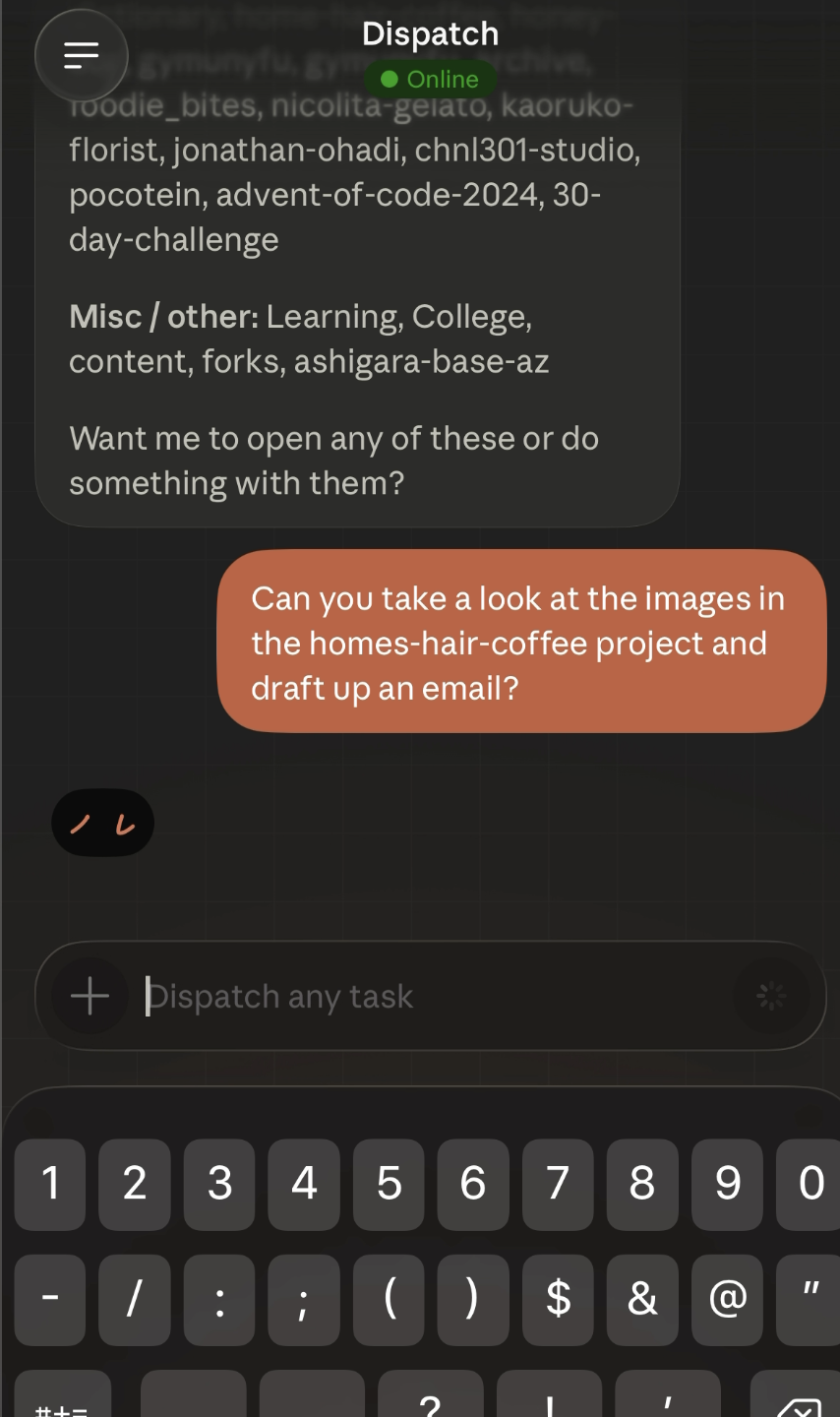
I've used it for things like "clean up the TODOs in that branch and run the tests" from the train, and it genuinely worked. There's something very funny about your computer doing your job while you're holding a phone in one hand and a coffee in the other.
Computer use is where it gets wild
Here's the part of Dispatch that made me sit up. When a task involves an app that Claude has no direct integration for, it can fall back to computer use, meaning it literally controls your mouse, keyboard, and screen. It points, clicks, types, and navigates the actual UI like a very patient intern.
The way it prioritizes is sensible. If there's a proper connector or tool integration, Claude uses that first, since it's faster and more reliable. If the task is browser work and you have Claude in Chrome set up, it drives the browser. And only when neither applies does it reach for full computer use to operate desktop apps directly. You can even mix them in one task, like pulling data from a desktop app and then entering it into a web portal.
This closes a gap that used to be a hard wall. Before, if an app had no API and no integration, Claude simply couldn't touch it. Now the answer is "it can see your screen and click things," which covers basically everything, just more slowly.
Where Dispatch falls short
Time for the reality check, because this one has sharper edges than Remote Control.
First, your desktop has to be on, awake, and running the desktop app. If your machine went to sleep, your dispatch is going nowhere. Second, computer use is slow compared to a direct integration, and Anthropic says this themselves: working through the screen takes longer, and complex tasks sometimes need a second try. In my experience that tracks. Simple, well-described tasks land fine. Vague or multi-step stuff can wander.
Then there's the trust question. You're letting an AI click around on your actual computer while you're not watching it. Anthropic's own advice is to start with apps you trust and keep it away from sensitive data, and some applications are restricted by default for exactly this reason. I think that's the right instinct. I'm happy to let it reorganize a project folder. I'm not letting it anywhere near my banking app, and neither should you.
And like Remote Control, it's in research preview and needs a Pro or Max subscription, so availability depends on your plan.
So which one do you actually use?
After a few weeks with both, here's how it shakes out for me. Remote Control is for work in progress. I start something real at my desk, and Remote Control means stepping away doesn't mean stopping. Dispatch is for work that hasn't started yet. I'm out, I remember something needs doing, I message it in, and my desk handles it.
The mental model that stuck for me: Remote Control is a leash, Dispatch is a boomerang. One keeps you connected to something running, the other you throw and it comes back with results.
Wrapping up
Neither of these is perfect yet, and both wear the research preview label for a reason. But the direction is obvious and honestly pretty exciting. The assumption that serious dev work only happens when you're physically at the keyboard is quietly dissolving.
For a small studio like ours, that's not a gimmick, it's real leverage. Client pings you about a quick fix while you're out? Dispatch it. Long migration running during lunch? Watch it from your phone and approve the scary steps with your thumb. It's the kind of thing that sounds like a demo until it saves you a trip back to the office, and then it just becomes how you work.
If you want to dig deeper, the Remote Control docs cover setup in detail, and Anthropic's Dispatch announcement is a good read on the computer use side. Give them a try. Worst case, you go back to being chained to your desk like it's 2024.